
To Click or not to Click
Hyperlinks are one of the web’s simplest and most powerful ideas: one piece of information can point directly to another. The idea of linked hypertext predates the World Wide Web, and links became a defining part of Tim Berners-Lee’s web architecture at CERN. [1] [2] [3] [4]
That convenience also creates a trust problem. A link can be sent in an email, message, document, QR code or social post, and the visible text does not always tell you where it will really take you. Deceptive links are commonly used in phishing and impersonation attempts, which is why a single click deserves a little more attention than habit sometimes gives it.

The deceptive links
Link spoofing and phishing rely on making a destination look more trustworthy than it is. Attackers may imitate familiar brands, use look-alike domains, hide a destination behind misleading text, or create urgency so the recipient acts before checking. The techniques change, but the basic defence remains useful: slow the decision down enough to inspect what you are being asked to trust.
Email is a common delivery route, but deceptive links also arrive through text messages, social platforms, collaboration tools and compromised accounts. The safest habit is not to assume that a familiar sender name or polished message makes a link genuine. Check the destination, question unexpected requests, and use a known route to the organisation when the message asks for sensitive information or payment.

In full measure
No single habit can prove that a link is safe. Treat unexpected links cautiously, inspect the actual destination rather than relying on display text, and check the hostname carefully for misspellings or look-alike domains. HTTPS protects the connection to a site, but it does not by itself prove that the site or sender is legitimate. When a message asks you to sign in, pay, or disclose sensitive information, consider navigating to the organisation through a known address instead of following the supplied link. [5]
ShortLinks - the shorter versions of the normal weblinks that take less character space - are the exception to the above rules. As various social media platforms and SMS services tend to limit the number of characters per post or text message for different reasons, shortlinks were the answer to this limitation as regular length weblinks, could be encoded into shorter length weblinks. [6] However, the downside of this solution is that you can no longer tell which website the link resolves to just by looking at the shortlink. So, it is safer to avoid shortlinks if you are unsure of the email origin.
Sometimes, it is best to go into your web browser and visit the company's website directly, navigating to the appropriate section or page of the website. This move helps to remove any doubts about the authenticity of the web content you are viewing. Finally, spoofed links are not limited to emails only, so apply these rules wisely whenever you come across links on the internet.
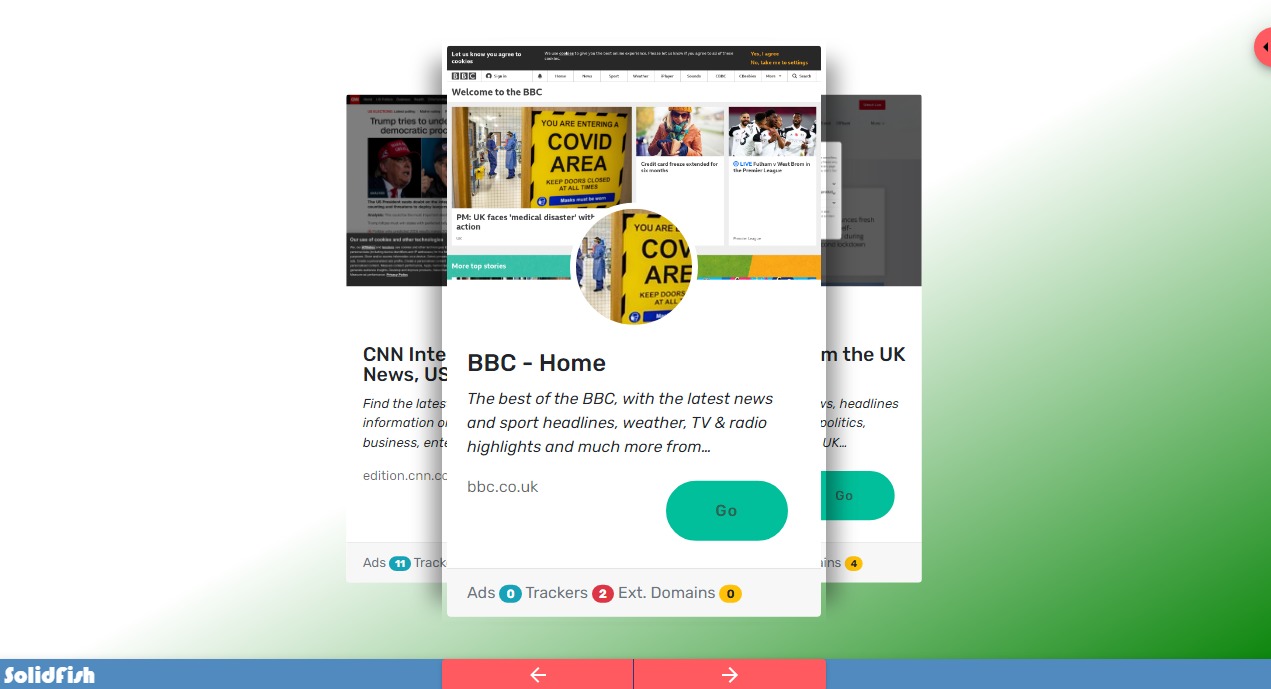
All about SolidLinks
SolidFish can accept supported web links as part of a share. Where a link preview is available, it gives the recipient an extra inspection step before choosing to visit the destination. That habit can help people notice unexpected, misleading or spoofed-looking destinations before they click. A preview is not a security verdict, and the destination can change after the preview is generated.
Before following a shared link, check the final address and use the same judgement you would apply to any other link received online.
Sources and further reading
- [UP] How Google warped the hyperlink: 30 years on, SEO and social media silos have replaced pre-web visions of linking.
- [UP] A Brief History of Hypertext: The History of the Web.
- [UP] Hyperlink: A definition by Wikipedia.
- [UP] World Wide Web: A definition by Wikipedia.
- [UP] What is URL Spoofing? NordVPN defines and explains.
- [UP] URL shortening: A definition by Wikipedia.